Affiliate disclosure
Some product links may be affiliate links. TechJachai may earn a commission from qualifying purchases at no additional cost to you.
Read the full disclosureTechJachai verdict
Our quick recommendation
TP-Link Archer AX12 remains the best overall option for most buyers. Cudy WR3000 is the performance-focused stretch-budget choice because its 26 July price snapshot is above ৳5,000. Tenda TX2L Pro is another affordable Wi-Fi 6 option, while Archer C6 suits buyers prioritising wired devices.
Choose TP-Link Archer AX12 for the best overall balance.
Choose Cudy WR3000 for higher wireless capacity.
Choose Tenda TX2L Pro for an alternative AX1500 Wi-Fi 6 option.
Choose TP-Link Archer C6 when four gigabit LAN ports matter.
Choose Tenda AC8 for a lower-cost gigabit Wi-Fi 5 option.
Choose TP-Link Archer C54 only when low cost matters more than gigabit Ethernet.
New comparison tool
Compare Archer AX12 vs Archer C6
See their Wi-Fi generation, advertised speeds, Ethernet ports and supported features side by side.
At-a-glance comparison
Compare the recommended routers
Compare verified merchant price snapshots, Wi-Fi generation, advertised speed, Ethernet connectivity and current offer availability before reading the detailed recommendations.
| Router | Observed price | Wi-Fi | Speed | Ethernet | Stock | Offers |
|---|---|---|---|---|---|---|
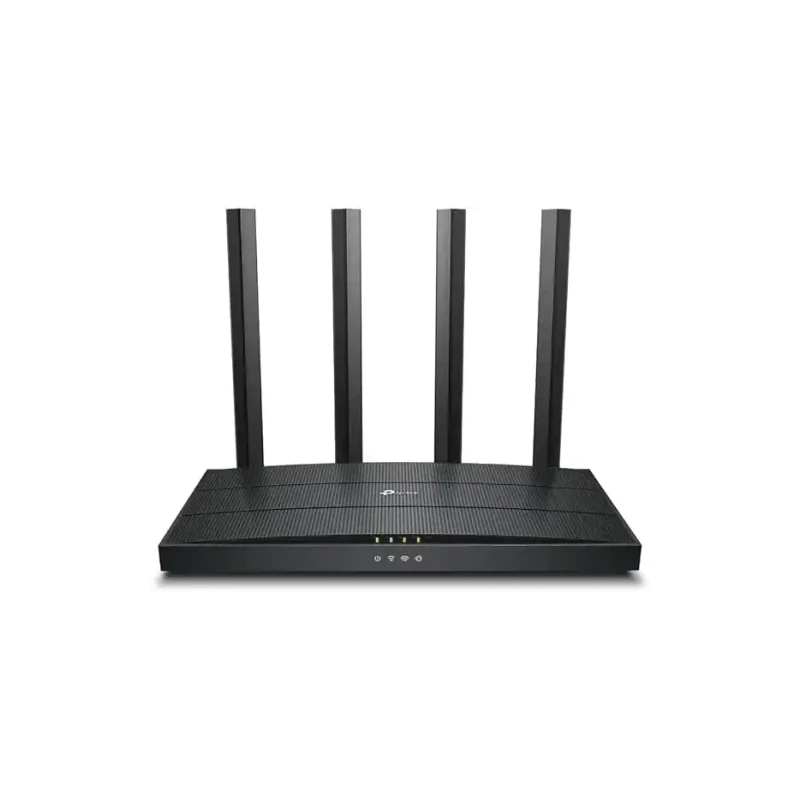 TP-Link Archer AX12 Best overall | ৳4,220 Daraz Checked Jul 26, 2026 | Wi-Fi 6 | AX1500 | 1× Gigabit WAN and 3× Gigabit LAN | In stock | |
 Cudy WR3000 Best performance — stretch budget | ৳5,580 Daraz Checked Jul 26, 2026 | Wi-Fi 6 | AX3000 | 1× Gigabit WAN and 3× Gigabit LAN | In stock | |
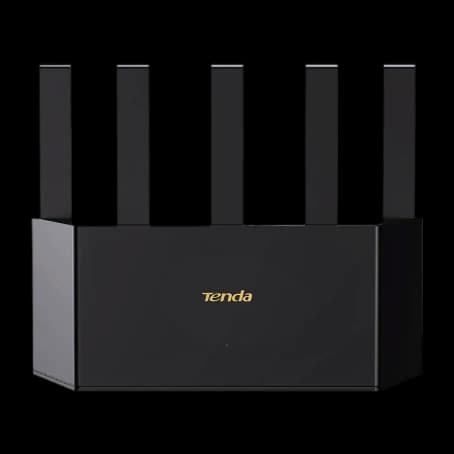 Tenda TX2L Pro Best alternative Wi-Fi 6 | ৳3,699 Rokomari Checked Jul 26, 2026 | Wi-Fi 6 | AX1500 | 1× Gigabit WAN and 3× Gigabit LAN | In stock | |
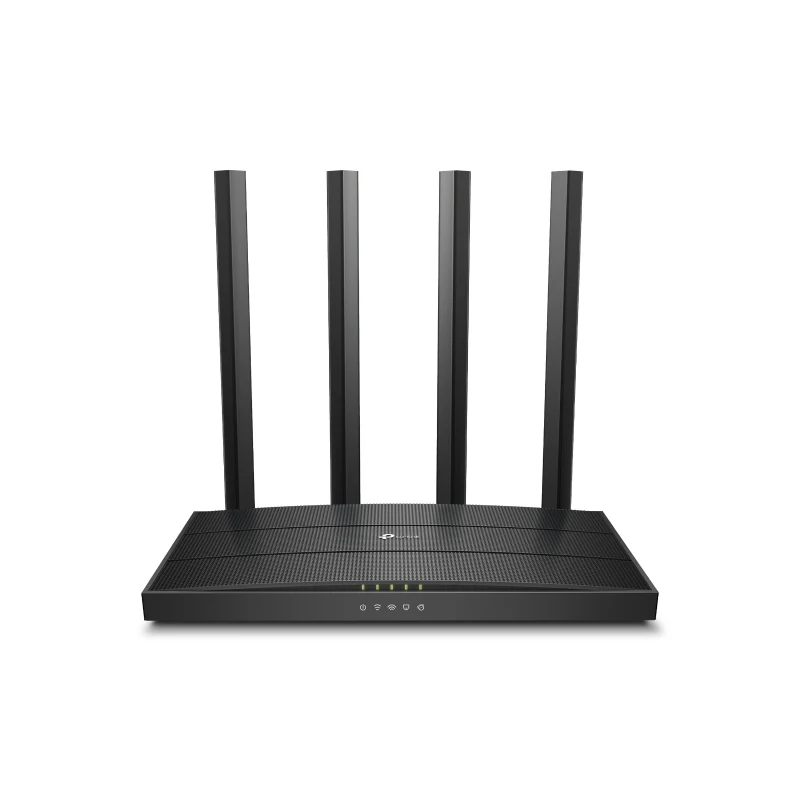 TP-Link Archer C6 Best for wired devices | ৳3,480 Daraz Checked Jul 26, 2026 | Wi-Fi 5 | AC1200 | 1× Gigabit WAN and 4× Gigabit LAN | In stock | |
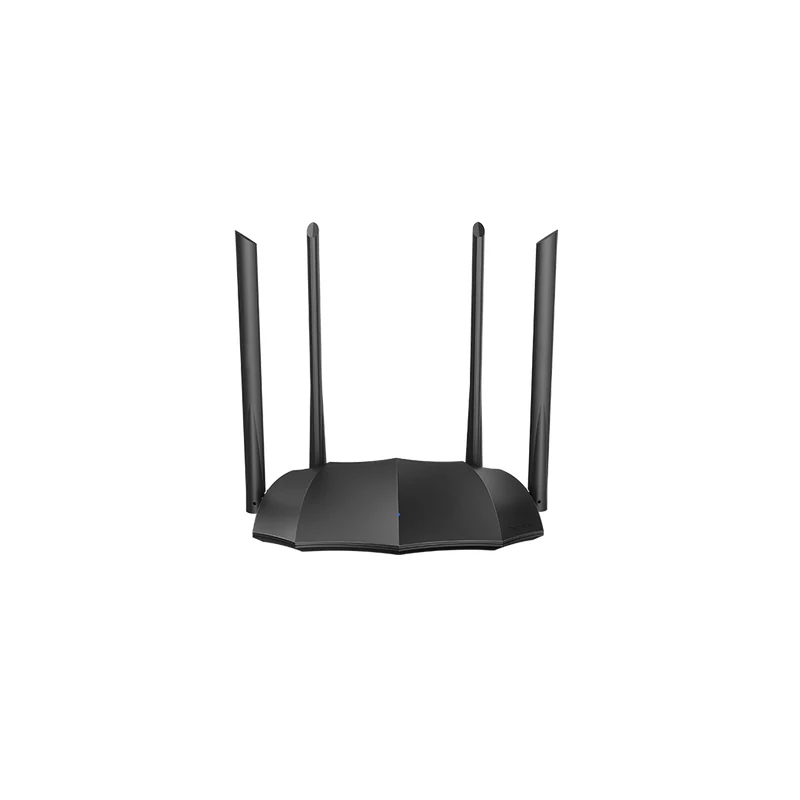 Tenda AC8 Best budget gigabit option | ৳2,839 Rokomari Checked Jul 26, 2026 | Wi-Fi 5 | AC1200 | Gigabit WAN and LAN ports; port count depends on the hardware version | In stock | |
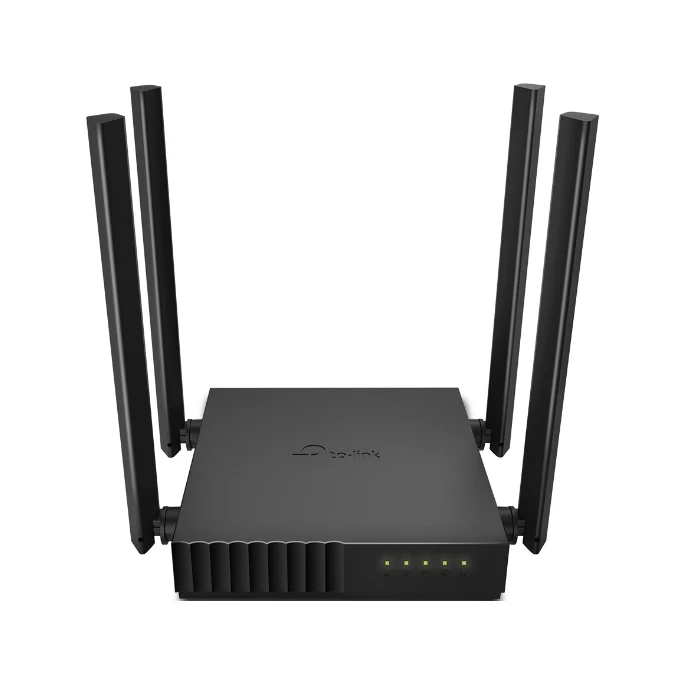 TP-Link Archer C54 Best low-cost dual-band option | ৳2,449 Rokomari Checked Jul 26, 2026 | Wi-Fi 5 | AC1200 | 1× 10/100 Mbps WAN and 4× 10/100 Mbps LAN | In stock |
TP-Link
TP-Link Archer AX12
৳4,220
Checked Jul 26, 2026
Best overall- Wi-Fi
- Wi-Fi 6
- Speed
- AX1500
- Ethernet
- 1× Gigabit WAN and 3× Gigabit LAN
Cudy
Cudy WR3000
৳5,580
Checked Jul 26, 2026
Best performance — stretch budget- Wi-Fi
- Wi-Fi 6
- Speed
- AX3000
- Ethernet
- 1× Gigabit WAN and 3× Gigabit LAN
Tenda
Tenda TX2L Pro
৳3,699
Checked Jul 26, 2026
Best alternative Wi-Fi 6- Wi-Fi
- Wi-Fi 6
- Speed
- AX1500
- Ethernet
- 1× Gigabit WAN and 3× Gigabit LAN
TP-Link
TP-Link Archer C6
৳3,480
Checked Jul 26, 2026
Best for wired devices- Wi-Fi
- Wi-Fi 5
- Speed
- AC1200
- Ethernet
- 1× Gigabit WAN and 4× Gigabit LAN
Tenda
Tenda AC8
৳2,839
Checked Jul 26, 2026
Best budget gigabit option- Wi-Fi
- Wi-Fi 5
- Speed
- AC1200
- Ethernet
- Gigabit WAN and LAN ports; port count depends on the hardware version
TP-Link
TP-Link Archer C54
৳2,449
Checked Jul 26, 2026
Best low-cost dual-band option- Wi-Fi
- Wi-Fi 5
- Speed
- AC1200
- Ethernet
- 1× 10/100 Mbps WAN and 4× 10/100 Mbps LAN
৫,০০০ টাকার মধ্যে রাউটার কেনার সময় শুধু বেশি Mbps লেখা আছে কি না সেটি দেখলে হবে না। Wi-Fi generation, gigabit port, connected device সংখ্যা, বাসার আয়তন, hardware version, seller এবং warranty—সবকিছু মিলিয়ে সিদ্ধান্ত নিতে হবে।
Recommended routers
Our ranked selections
The awards below are based on current specifications, price, stock, warranty and suitability for different buyers. They are not controlled laboratory test results.
TP-Link
TP-Link Archer AX12
Best suited for
Most families, students and remote workers upgrading to Wi-Fi 6.
Important limitation
It has three LAN ports and lower peak wireless capacity than the Cudy WR3000.
Why we recommend it
The strongest overall balance of Wi-Fi 6, gigabit connectivity, familiar management tools and practical home use.
Confirm the Archer AX12 hardware version and regional firmware before ordering.
Where to buy
Daraz
Stock snapshot: Buy Now and Add to Cart were available
Seller: MS Royal Select
Warranty: 1 Year Brand Warranty
Checked Jul 26, 2026
Observed Daraz listing price on 26 July 2026. Price, seller and stock can change at any time.
Cudy
Cudy WR3000
Best suited for
Modern Wi-Fi 6 devices, faster internet packages and heavier network usage.
Important limitation
It can move above the ৳5,000 target, and its extra wireless capacity may provide little benefit with slower broadband or older devices.
Why we recommend it
AX3000 Wi-Fi 6, 160 MHz support, dual-core processing and four gigabit Ethernet ports make it the performance-focused option.
This record uses WR3000 1.0 as the official specification reference. Confirm the exact seller hardware version.
Where to buy
Daraz
Stock snapshot: Buy Now and Add to Cart were available
Seller: CUDY
Warranty: 1 Year Brand Warranty
Checked Jul 26, 2026
Observed Daraz listing price on 26 July 2026. This snapshot is above the guide's ৳5,000 target, so treat it as a stretch-budget option.
Tenda
Tenda TX2L Pro
Best suited for
Buyers who want affordable Wi-Fi 6 and prefer Tenda networking products.
Important limitation
TechJachai has not yet completed controlled hands-on range or throughput testing for this model.
Why we recommend it
It combines AX1500 Wi-Fi 6, gigabit wired connectivity, five antennas and a competitive observed price.
Where to buy
Rokomari
Stock snapshot: Only 1 copy left when checked
Checked Jul 26, 2026
Observed Rokomari listing price and availability on 26 July 2026. Price and stock can change quickly.
TP-Link
TP-Link Archer C6
Best suited for
Users connecting several wired devices while retaining dual-band Wi-Fi.
Important limitation
It uses Wi-Fi 5 rather than Wi-Fi 6, and specifications can vary between hardware versions.
Why we recommend it
Four gigabit LAN ports make it practical for households connecting several PCs, televisions, consoles or access points.
Different Archer C6 hardware versions exist. Confirm the exact version and supported features before ordering.
Where to buy
Daraz
Stock snapshot: Buy Now and Add to Cart were available
Seller: TP-Link
Warranty: 1 Year Brand Warranty
Checked Jul 26, 2026
Observed Daraz listing price on 26 July 2026. Confirm the exact Archer C6 hardware version before ordering.
Tenda
Tenda AC8
Best suited for
Basic home use when gigabit wired connectivity and a lower purchase price are priorities.
Important limitation
It uses Wi-Fi 5, and its exact LAN-port count depends on the hardware revision being sold.
Why we recommend it
It offers dual-band Wi-Fi, gigabit Ethernet and four external antennas at a lower observed price.
The normalized specification record uses AC8 v6.0, which has two LAN ports. Confirm the retailer's hardware revision because older AC8 versions may differ.
Where to buy
Rokomari
Stock snapshot: Only 1 copy left when checked
Checked Jul 26, 2026
Observed Rokomari listing price and availability on 26 July 2026. Price and stock can change quickly.
TP-Link
TP-Link Archer C54
Best suited for
Lower-speed broadband packages and buyers prioritising affordable dual-band wireless coverage.
Important limitation
Its Fast Ethernet ports can limit wired internet and local-network traffic to around 100 Mbps.
Why we recommend it
It provides affordable AC1200 dual-band Wi-Fi, MU-MIMO, Beamforming and multiple operating modes.
Confirm the Archer C54 hardware revision because firmware features such as WPA3 can vary by region and version.
Where to buy
Rokomari
Stock snapshot: Only 3 copies left when checked
Warranty: 12 Months
Checked Jul 26, 2026
Observed Rokomari listing price and availability on 26 July 2026. Price and stock can change quickly.
Reader profile
Who this guide is for
Small and medium apartment users
Families connecting several phones, laptops and smart devices
Students, developers and remote workers
Users upgrading from a basic single-band router
Evaluation process
What we compared
Model and specification match
The exact model number and important specifications are checked before a product is included.
Wi-Fi generation and capacity
We compare Wi-Fi 5 and Wi-Fi 6 support, advertised speeds and multi-device technologies.
Ethernet capability
We distinguish gigabit ports from 10/100 Mbps Fast Ethernet because the difference can affect wired performance.
Current merchant information
Observed prices, stock and warranty are presented with a checked date and should be verified again before ordering.
Editorial independence
Affiliate availability does not guarantee a positive recommendation or determine the product ranking.
Best overall: TP-Link Archer AX12
The Archer AX12 offers AX1500 Wi-Fi 6, OFDMA, MU-MIMO, four external antennas, one gigabit WAN port and three gigabit LAN ports.
It provides the strongest general balance for households upgrading from an older Wi-Fi 4 or Wi-Fi 5 router.
Its main compromise is lower peak wireless capacity than the WR3000 and one fewer LAN port than the Archer C6.
Best performance: Cudy WR3000
The Cudy WR3000 provides AX3000 Wi-Fi 6, 160 MHz support, a dual-core processor and four gigabit Ethernet ports.
It is the better specification-focused choice for modern Wi-Fi 6 devices, faster broadband and heavier local-network use.
Buyers using slower broadband packages or older devices may not notice enough benefit to justify choosing it over an AX1500 model.
Best alternative Wi-Fi 6: Tenda TX2L Pro
The Tenda TX2L Pro is an AX1500 dual-band gigabit Wi-Fi 6 router with five antennas, OFDMA and MU-MIMO.
It suits buyers who want an affordable Wi-Fi 6 router but prefer Tenda products or find it at a better current price.
TechJachai has not yet completed controlled hands-on range or throughput testing for this model.
Best for wired devices: TP-Link Archer C6
The Archer C6 offers four gigabit LAN ports, making it useful for desktops, televisions, consoles, access points and other wired equipment.
It remains a practical Wi-Fi 5 option when wired connectivity matters more than upgrading to Wi-Fi 6.
Confirm the exact hardware version before ordering because features and specifications can differ between versions.
Budget choices: Tenda AC8 and TP-Link Archer C54
Tenda AC8 combines AC1200 dual-band Wi-Fi with gigabit Ethernet and is the stronger choice when wired speed matters.
TP-Link Archer C54 is a lower-cost compact dual-band option with MU-MIMO and Beamforming.
The Archer C54 uses 10/100 Mbps Ethernet ports, so it should be avoided when the internet package or wired-network requirement exceeds about 100 Mbps.
How to choose the right router
Choose according to your actual devices and internet package. A router cannot make the ISP connection faster than the subscribed speed.
Use 2.4 GHz when range is more important and 5 GHz when higher nearby speed is more important.
Check the exact model, hardware version, seller reputation, current price, stock, warranty and return conditions before ordering.
Large homes or homes with several concrete walls may require a mesh system or an additional wired access point.
Research and affiliate limitations
These recommendations are based on specifications, local-market research, official product information and publicly available merchant information.
TechJachai has not yet conducted controlled hands-on range, latency or throughput testing on all six models.
Some merchant buttons are affiliate links. TechJachai may receive a commission from qualifying purchases without increasing the listed purchase price.
Affiliate links do not guarantee that a product is in stock, that the displayed merchant price is current or that every resulting order will qualify for commission.
Router buying questions
Frequently asked questions
Quick answers to common questions about Wi-Fi standards, internet speed, frequency bands, Ethernet ports and home coverage.
Is Wi-Fi 6 worth buying under ৳5,000?
Yes, especially when you have newer phones, laptops or several connected devices. Archer AX12, Cudy WR3000 and Tenda TX2L Pro provide Wi-Fi 6 choices within this guide.
Can a new router make my internet package faster?
A router cannot increase the maximum speed supplied by your ISP. It can improve wireless coverage, stability, local-network performance and how efficiently multiple devices share the connection.
Should I use 2.4 GHz or 5 GHz Wi-Fi?
Use 2.4 GHz for longer range and better penetration through walls. Use 5 GHz for higher speed and lower interference when you are closer to the router.
Do I need gigabit Ethernet ports?
Gigabit ports are useful when your broadband exceeds 100 Mbps, when you transfer files locally or when you connect wired devices. Fast Ethernet ports can limit wired traffic to around 100 Mbps.
How current are the displayed prices and stock details?
The displayed values are manual snapshots checked on the date shown beside each offer. Daraz and Rokomari can change prices, sellers and stock at any time, so verify the merchant page before ordering.
Does TechJachai earn from every purchase?
No. A commission is only possible when a qualifying purchase is correctly attributed under the merchant affiliate program. Cancelled, returned, ineligible or untracked purchases may not generate commission.